Guide
Card shows, shop visits and pack openings happen away from a desk, which is where a phone earns its place in the hobby. The HoloHoard app is a free download on Google Play for Android. This guide walks through installing it, signing in with the account you already use on the web, and the things the app does best: logging a pull the moment it happens, photographing the exact copy you hold and checking what a card is worth before you buy it.
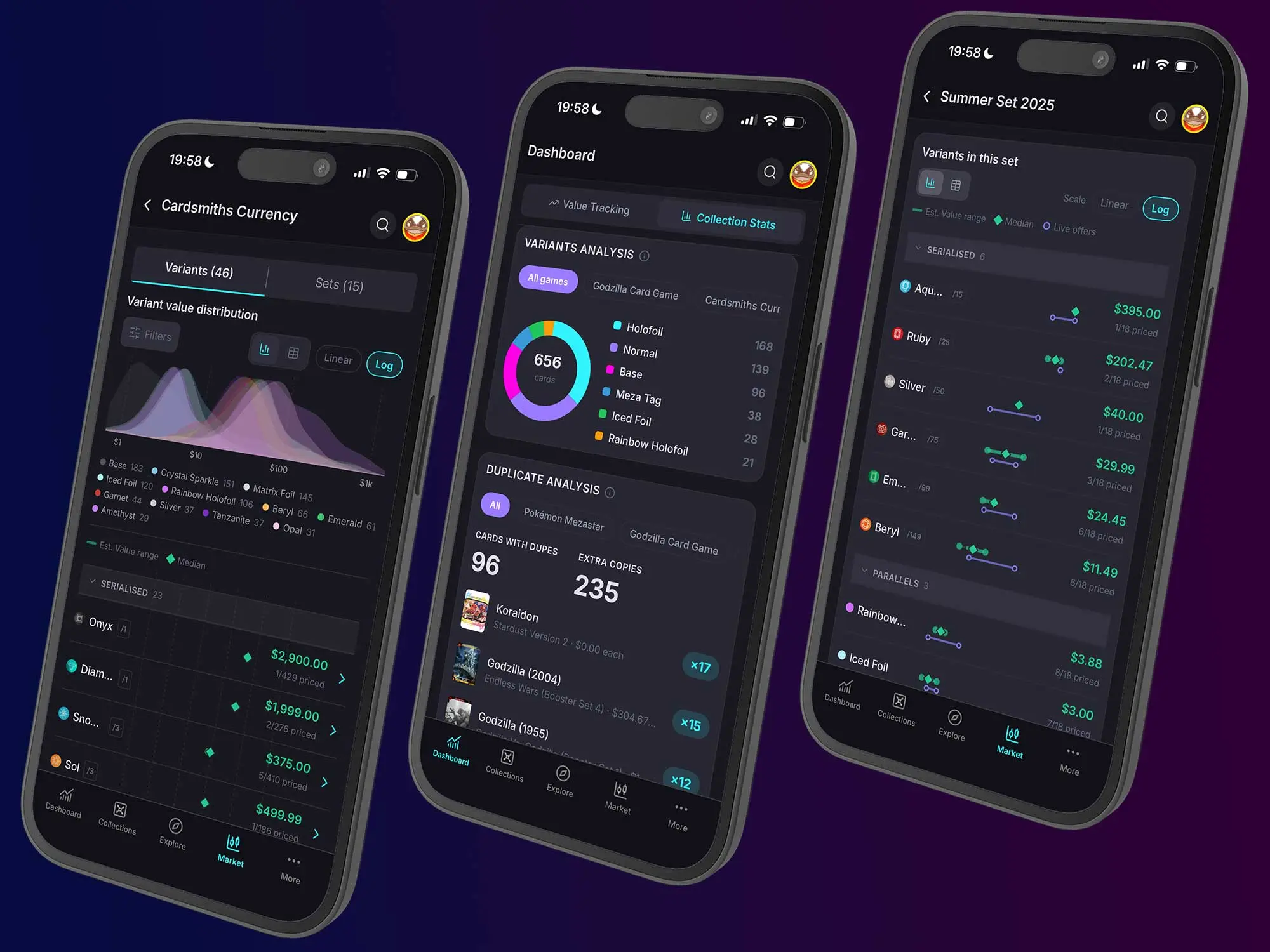
Get the app from Google Play, open it and sign in with the email and password or the Google account you use on holohoard.app. There is no separate app account: your collections, lists, values and profile are already there the first time you open it. If you are new, create the free account inside the app and the web will know you the next time you visit. The app page has the current store links and a short FAQ.
Open the set you are ripping, find the card and add a copy. The same fields you know from the web are there: quantity, condition, grading company and grade, serial number for numbered cards, purchase price, acquisition date and notes. Identical copies fold into one row with a true count, and a numbered card keeps each serial as its own entry, so a 5/99 and a 42/99 never blur together.
The phone is the camera you always have with you, and the app uses it. Take a photo or pick one from your library and attach it to a specific copy: the slab with its label, the autograph, the print error, the corner you want to remember when you sell. Video works too. A few seconds of a holo or textured card turning under the light shows what a flat scan never can, and the rip itself makes a good record of where a pull came from. Photos and videos sit on the copy, not on the catalogue card, so your collection shows your cards.
Every card page in the app carries the same daily Est. Value per variant as the web, with the coverage indicator that tells you how much data sits behind the number, plus recent sales and live offers. Standing at a table with a card in your hand, that is the whole decision on one screen. Marketplace links open in the app's own browser, so you come straight back to where you were.
The app is native, and it shows in the details: dark and light modes, haptics on the actions that matter, and a card view where the card tilts with your hand and flips with a physics snap. It is the same HoloHoard, designed for the device it is running on.
Premium is tied to your account, not to a device. A subscription bought on the web unlocks the deeper value analytics, full sales history, export and unlimited collections, lists and uploads in the app as soon as you sign in, and a subscription bought inside the app through the store unlocks them on the web the same way. Nothing that is free on the web is paid in the app. What Premium adds.
The web and the app are one collection seen from two places, so pick the screen that fits the job. Bulk add a whole set and print a set checklist on the desktop, then take the phone to the show to tick off what you find. Publish your profile and share links from either. A few pages are web surfaces by design, such as the printable set checklist, the public profile viewer and these guides, and the app opens them in its browser when you tap through.
Yes. Cataloguing, lists and decks, card details, per-card values, Market basics and sharing are free in the app, exactly as on the web. Premium is the same optional upgrade with the same power tools.
The HoloHoard app is a free download on Google Play for Android. On iPhone, holohoard.app runs in any mobile browser with the same account, and the HoloHoard app page carries the current platform list.
No. Sign in with the email and password or Google account you already use on the web. Everything you have added is there, and anything you add on your phone shows up on the desktop.
Nearly everything: browsing, collections, lists and decks, card details and photos, values, market data, deals, sharing and Premium. A few pages are web surfaces by design, such as the printable set checklist, the public profile viewer and the guides, and the app opens those in its browser.
Yes, through the store, and it unlocks Premium on the web as well because the subscription belongs to your account. A subscription bought on the web works in the app the same way.
Start your collection, free
No account needed to browse. Create one to track and value your cards.