Guide
Pulls is where the community shows what it just opened. A pull is one copy of one card, posted with your own photo, that other collectors can hype and find. It sits on top of your collection rather than beside it: every pull starts as a copy you own, and the feed only ever shows cards that really came out of a pack. Here is how it works and the few rules that keep it honest.
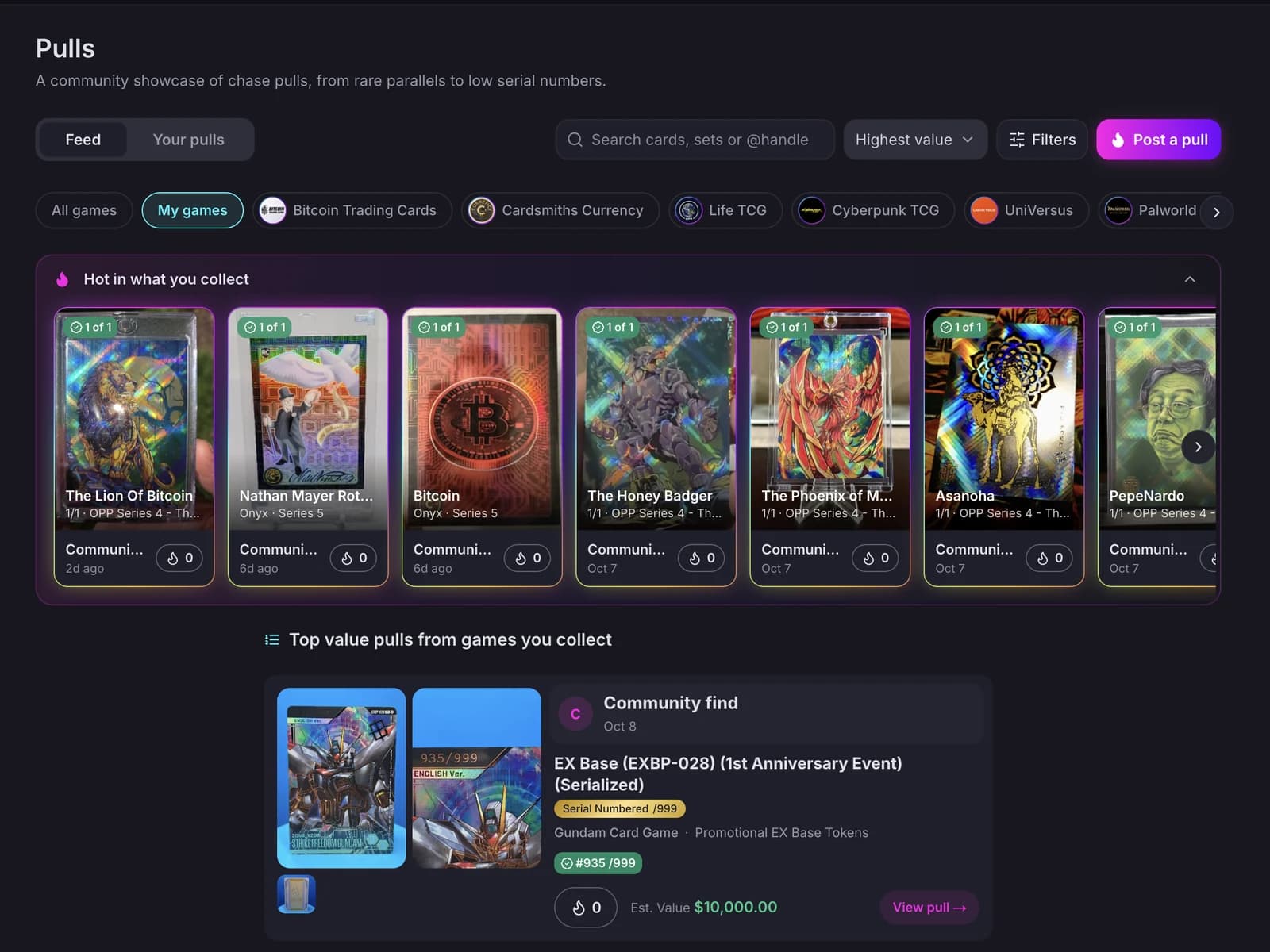
You post a pull from a card you are adding to your collection, or from a copy already in your Vault. Either way it needs two photos you took of that copy: the front and the back. Catalogue art is never used, because the point of a pull is that this exact card exists in someone's hands. On a numbered card, make sure the serial number is visible in your photos, so it can be verified. You can add more photos on top, like the pack, the box or the pile it came from, and one short video if you have it.
The quickest way is the switch in the add-to-collection sheet: turn on Post to Pulls, and the copy and the pull are created together. If you started in Pulls instead, the Post a pull button asks which card you pulled and then opens that same sheet, so the flow always ends with the copy in your collection. For a copy you already own, open it in your Vault and tap the flame next to its photos. Bulk add never posts pulls: one pull is one deliberate share.
Hype is the one reaction. Anyone signed in can hype a pull once, and you cannot hype your own. The poster sees the count and the collectors behind it, and gets an email for the first hype and a daily summary after that, unless they turn those off in Account settings. Featured, the default sort, weighs rarity, hype and freshness together, so a fresh 1 of 1 rises fast and an older pull fades unless it keeps collecting hype. Newest, Top this week and Highest value are there when you want a plain order.
Anything with a print run of 25 or fewer counts as rare: it gets a rail of its own at the top of the feed for a week and a frame in the variant's colours. Every serialised tier also has a tracker, one page per set and variant, listing every card and the serial numbers collectors have posted so far. A 1 of 1 tier reads as found or not found; a numbered tier shows which serials are located out of the print run. Trackers are the community's record, not a registry: a serial appears there because someone posted it with a photo of the back.
Sometimes two people post the same serial number. Both pulls stay up, both are marked contested, and both posters are told. A HoloHoard admin then looks at the photos of both and verifies one, or neither. A verified pull carries a check on the feed and the tracker; a rejected claim comes off the tracker but the pull itself stays with its poster. Posting a serial never gives you exclusive rights to it, and it never proves ownership on its own.
You can post the same card as many times as you pull it. The one exception is the same serialised copy twice: that is one card, so the app offers to bump the earlier pull instead. A bump moves a pull back to the top of Newest, once a week per pull. You can unpublish a pull at any time and publish it again later, or delete it for good. Deleting a pull removes its photos from Pulls and nothing else: the copy in your collection and its own photos are untouched. The reverse is also true. If you sell the card or delete the copy, the pull stays, because it records something that happened.
Every pull can be posted as A collector instead of under your name, and a private profile does the same for all your pulls at once. Anonymous pulls still count toward your XP and badges, still take hype, and still appear on trackers; they just do not link back to you. Community finds are different: those are pulls HoloHoard records from public listings by people who are not members, labelled as such, so a 1 of 1 spotted on a marketplace can still complete a tracker.
Every pull has a Report link. Reports are counted per pull, and a pull that collects several is hidden while an admin reviews it; the poster is told either way. Pulls that use someone else's photo, claim a card the poster does not have, or break the Terms are removed, and repeat offenders lose the ability to post. You can also block a collector, which hides their pulls from your feed and their hype from your pulls.
Nothing. Posting, hyping, trackers and the feed are free for every account, on the web and in the app. The only requirement is the one every public feature shares: a display name and a handle, which the app asks for the first time you post.
Start your collection, free
No account needed to browse. Create one to track and value your cards.