Guide
Your collection lives in your account, but a proper backup is a copy you hold yourself: a clean, current file of every card you own, its condition, and what it is worth. Here is how to export exactly that, so your records stay in sync, portable, and ready if you ever need to show what you had.
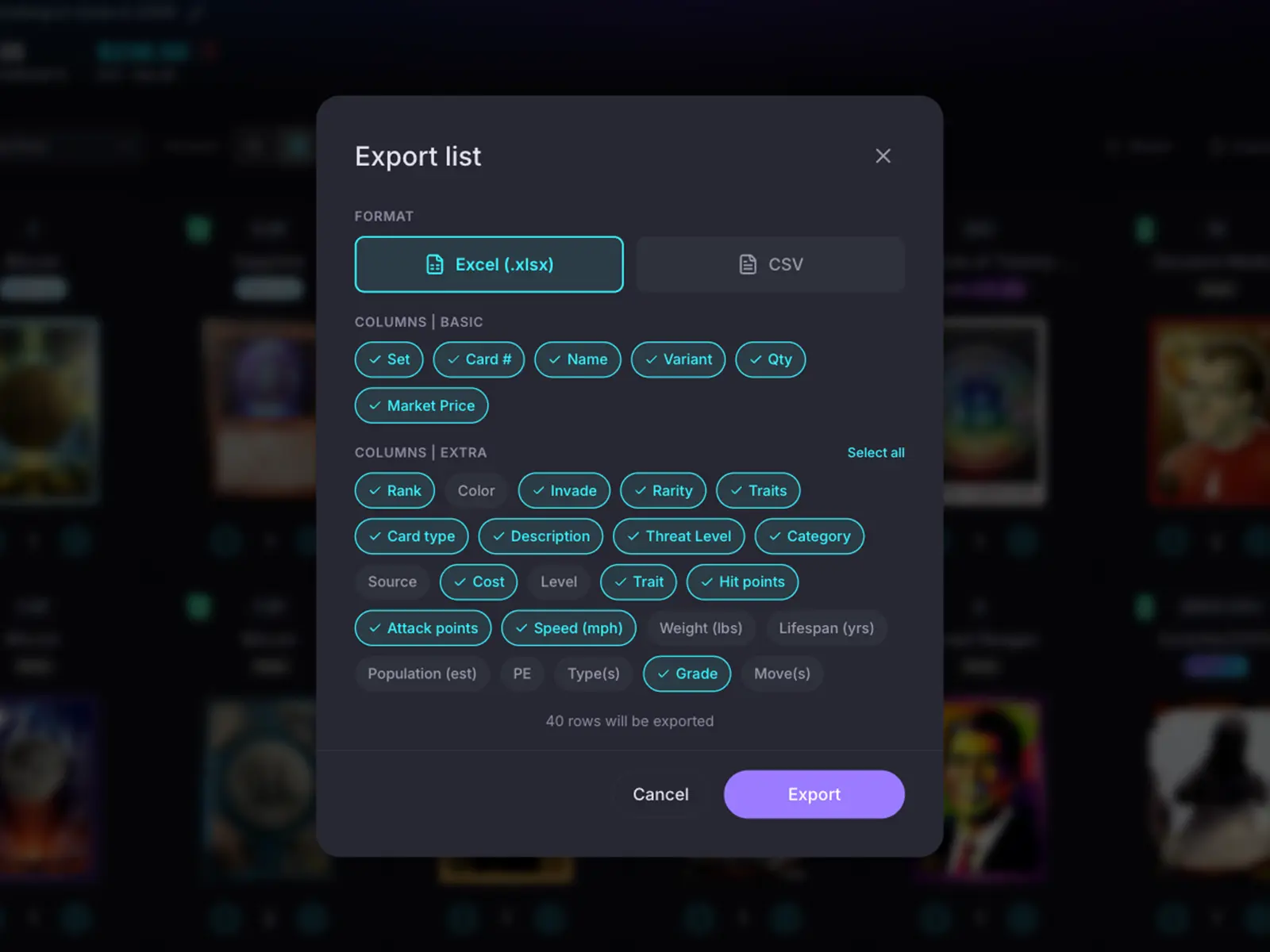
The point of a backup is that it does not depend on any one app, including this one. Exporting gives you your own file of your collection that you can save wherever you like, an external drive, a cloud folder, a printout in a drawer. It is your inventory, in your hands, so your record of what you own is never tied to a single place.
With Premium you can export any collection or list to CSV or Excel in a couple of taps. CSV is the universal format, ready to open anywhere or import into another tool; Excel gives you a tidy workbook you can sort, filter and total. Either way you get a structured file, not a screenshot, so the data stays useful. See Premium.
The export is yours to shape. Pick the columns you want, card number, name, set, variant and rarity, plus condition and grade, quantity, purchase price, acquisition date, notes, and serial numbers for serialised cards. Game-specific detail columns are there too when you want them. Everything you carefully logged when you built your collection comes out the other side, so the file is as detailed as your records are.
A collection export comes as two views: an itemised sheet with every individual copy, and a grouped summary that folds identical copies into one line with a true count, a per-card Est. Value and a total value. That grouped, valued snapshot is exactly the kind of at-a-glance record that is handy for a quick stocktake or a valuation on a given day.
A dated, itemised list of what you own and roughly what it is worth is the kind of documentation that makes an insurance conversation or a claim far easier. Keep an exported copy somewhere safe of your own, and re-export now and then so it stays current as your collection and the market move. To be clear: HoloHoard is not an insurer, and Est. Values are a reference rather than an appraisal or a guarantee, so treat the export as your own record, not a promise about coverage or price. Read the methodology.
Start your collection, free
No account needed to browse. Create one to track and value your cards.