HoloHoard logo
FeaturesFAQPremiumBlog
Log inExplore cards
HoloHoard logo

HoloHoard is the trading card collection tracker for TCG collectors, built for both playable games and scarcity-based, serial-numbered cards.

Product

  • Explore cards
  • Market
  • Features
  • Premium

Resources

  • Guides
  • News
  • FAQ
  • How we value cards
  • Blog

Company

  • About
  • Contact

Legal

  • Privacy Policy
  • Terms of Service
  • Affiliate Disclosure
  • Premium Terms

HoloHoard is an independent platform for trading card collectors and is not affiliated with, sponsored by, or endorsed by any trading card publishers or rights holders. All trademarks, logos, card names, and card images are the property of their respective owners. Any use of such materials is for identification and informational purposes only.

© 2026 HoloHoard · ScoutBytes OÜ

Guides/Build a deck

Guide

How to build and share a TCG deck

A deck is a focused, single-game build: the cards you actually play, kept separate from the rest of your collecting life. Here is how to build one and share it.
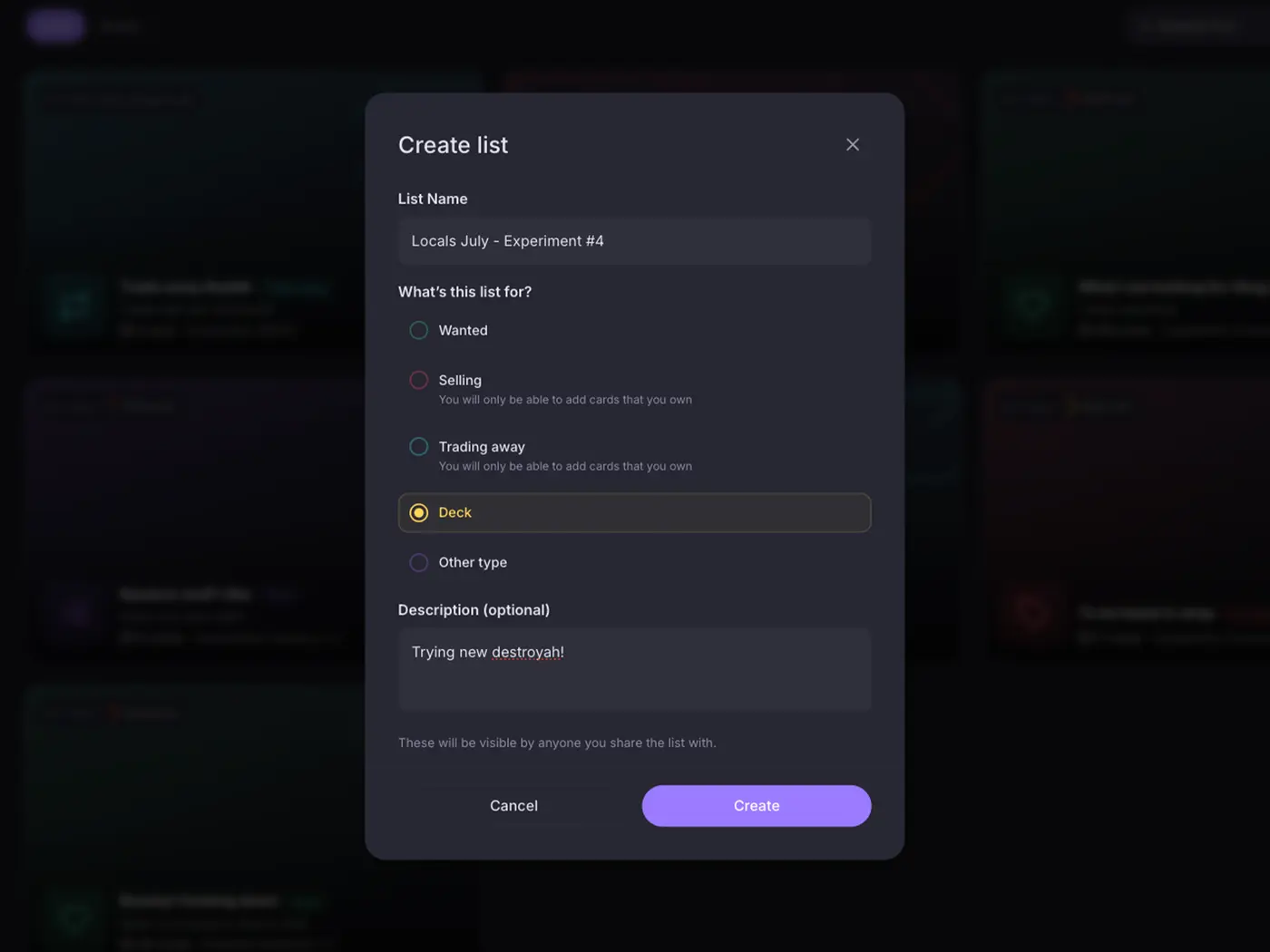
The Create list dialog with the Deck type selected, next to Wanted, Selling and Trading away

Create a deck

Decks get their own space, separate from your want and trade lists. A deck is single-game by design, so everything in it belongs to one trading card game, like the Godzilla Card Game or the Gundam Card Game, which keeps your builds clean and easy to read.

Add your cards

Fill the deck straight from the catalogue with the exact cards and variants you play. Adding cards to a deck never changes your collection counts, so you can plan builds freely without touching your inventory.

Clone a deck to test new ideas

Duplicate a deck in one tap and you have a sandbox. Swap a few cards in the copy, keep the original untouched, and compare the two builds side by side. It is the fastest way to try a tech choice or a different curve before you commit, and every variant keeps its own notes and its own shareable link.

Share your decklist

Make the deck public and share it with a single read-only link. Teammates and opponents can browse your list but cannot change it, so it is a clean way to post a decklist anywhere. Add a description and notes to the deck, what it is strong against, the line you like to play, even the events you have won with it, and they show on the shared page for anyone you send it to.

Related featureMore on Lists & decks

Start your collection, free

No account needed to browse. Create one to track and value your cards.

Create free accountBrowse cards
Previous guideHow to track graded cards (PSA, BGS, CGC, AGS and more)Next guideHow to grow your reach as a card seller

Related guides

  • How lists and decks work in HoloHoard
  • How to build a want list (wishlist) for trading cards
  • How to make a for-sale or trade list